 QwenImage21.net
Chinese Text in AI Images: A Qwen Image Poster Workflow
Plan short headlines, specify text placement, and check every character before publishing an AI-assisted poster.
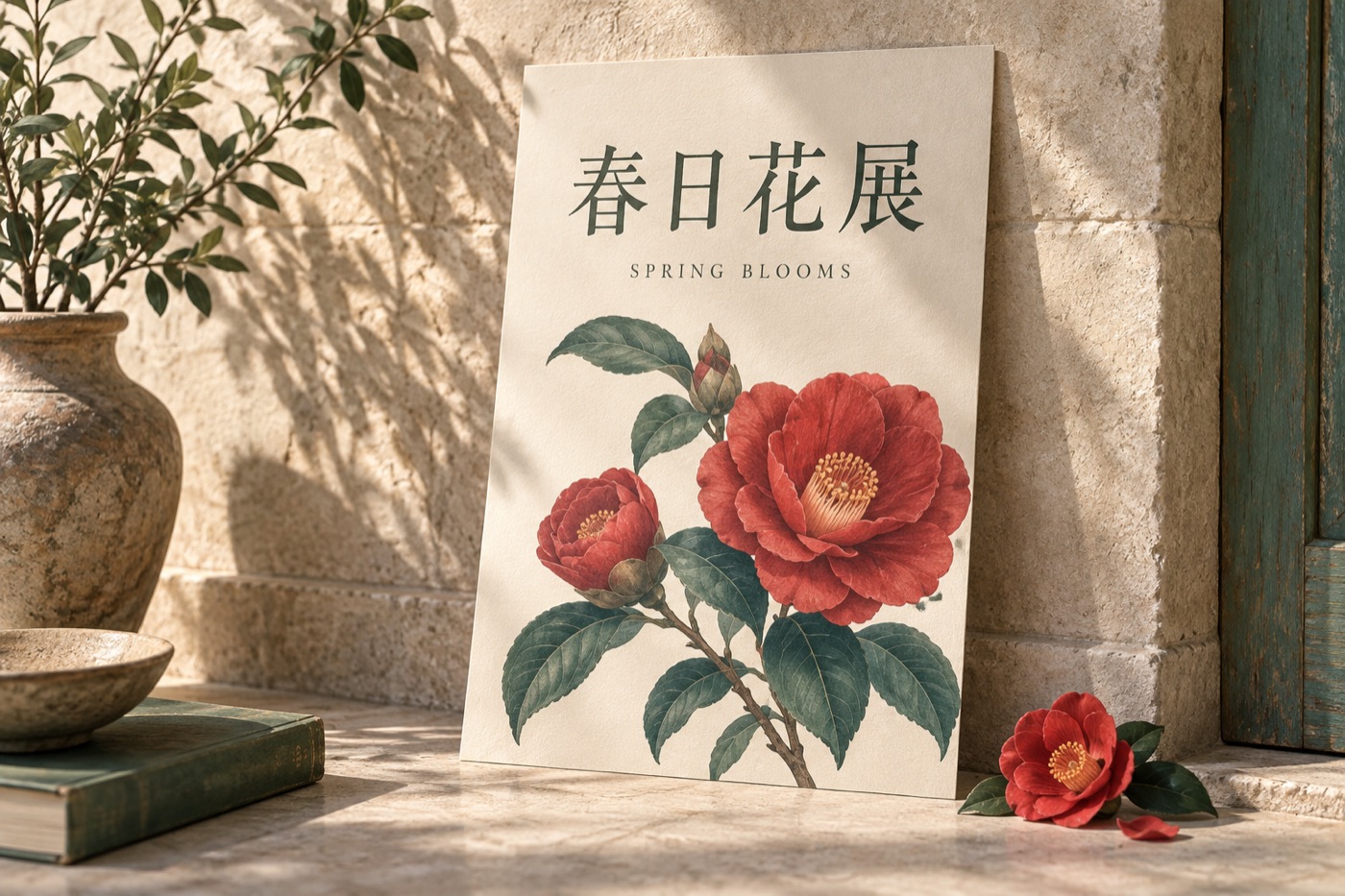
A poster has to communicate before it decorates. Even a striking illustration fails if the event name is misspelled or the date is hard to read. Qwen's original model documentation highlights Chinese text rendering, but a stated model capability is not a guarantee that every generated character will be correct. The official Qwen-Image model card is the capability reference for this guide.
Separate the message from the picture
Before generating, write the exact headline in a separate document. Decide which information belongs inside the image and which should be added later as editable text. A short headline is a manageable first test. Addresses, terms, long schedules, and changing prices are usually easier to maintain in a layout editor.
Choose three levels at most: headline, supporting line, and small information. Describe their locations instead of asking the model to invent a complete typographic system.
Try one controlled layout
This original practice brief uses a fictional event:
Vertical poster for a small spring flower exhibition. Pale cream paper background, one red camellia illustration in the lower half. At the top, large dark Chinese headline reading exactly “春日花展”. Immediately below, smaller English text reading exactly “SPRING BLOOMS”. Generous margins, simple horizontal text, no other words.
Start with the headline alone if the bilingual version is unreliable. Add the supporting line only after the basic layout works. If your interface supports reference-based editing, change only the faulty text area while explicitly preserving the illustration and overall layout.
Proofread at two scales
Inspect the file at full resolution for missing strokes, repeated characters, and accidental symbols. Then view it at the size people will actually see on a phone. Correct characters can still be too small or too low-contrast to read.
Copy the generated text back into a checklist and compare it with the original brief character by character. OCR can assist, but should not replace a human check. For a final campaign, keep exact dates and other critical information as editable typography over the approved artwork. This makes the next revision much easier than regenerating an entire poster.
Try the brief in the image generator, then use our prompt-writing guide to simplify any conflicting instructions. The prompt library offers more visual directions for your next poster.
Cover: editorial illustration generated with Codex, not an output from the models compared or a benchmark sample.